💡 Abstract
This guide outlines step-by-step instructions for canceling a Kling AI subscription across Web (Stripe), iOS (Apple Settings), and Android (Google Play) platforms. It also explains what happens after cancellation, including maintaining full plan access until the current billing cycle ends, stopping automatic charges, and reverting your account to the 66-credit monthly free tier.
Trying to figure out how to cancel Kling AI subscription plans, but not sure where to start? Don't worry—we’ve got you covered. This guide provides a quick walkthrough to cancel your plan hassle-free.
We'll also clarify what happens to your account access and remaining benefits once your subscription ends. Read on to find out more!
Table of Contents
🌟 Key Takeaways
- Platform-Based Cancellation: Cancel via Web (Stripe billing portal), iOS (Apple ID Settings), or Android (Google Play) depending on where you purchased.
- Full Access Until Expiry: You retain all paid subscription features until the current billing period ends.
- Downgrade to Free Plan: After expiry, your account automatically reverts to the free tier with 66 monthly credits.
How to Cancel Kling AI Subscription in 3 Easy Ways
Below are 3 quick ways to cancel your Kling AI subscription—just pick the one that works best for you.
How to Cancel Kling AI Subscription via Web
If you signed up directly on the website, please cancel your Kling AI subscription through Stripe:
Click Profile in the bottom left corner of the page.
Select Manage Plan, which will redirect you to the Stripe billing portal.
Follow the on-screen instructions to finish canceling your subscription.
How to Cancel Kling AI Subscription via Apple
If you subscribed to Kling AI on an iPhone or iPad, please cancel your Kling AI subscription through your Apple settings:
Open Settings and tap your Apple ID at the top.
Tap Subscriptions.
Select Kling AI and tap Cancel Subscription.
How to Cancel Kling AI Subscription via Google Pay
If you signed up via Android, please cancel your Kling AI subscription through Google Play:
Open the Google Play Store and tap your profile picture at the top right.
Tap Payments & subscriptions > Subscriptions.
Select Kling AI from the list and tap Cancel subscription.
What Will Happen After Your Subscription is Canceled
Once you cancel Kling AI subscription, there are a few key details you should keep in mind.
Your subscription will not end immediately
It will still be valid until its expiry date. You can still use it and enjoy the benefits by that time.
You'll not be charged after the expiry date
The auto payment will stop after you cancel your subscription. If you're still charged, contact the Kling AI support for help.
You'll be downgraded to the Free plan
After you unsubscribe from Kling AI, your account will revert to getting 66 credits per month.
Need an Alternative to Kling AI? Try HIX AI!
If you cancel Kling AI subscription because you don't like its services, you can try one of Kling AI alternatives. Among them, we suggest you try HIX AI!
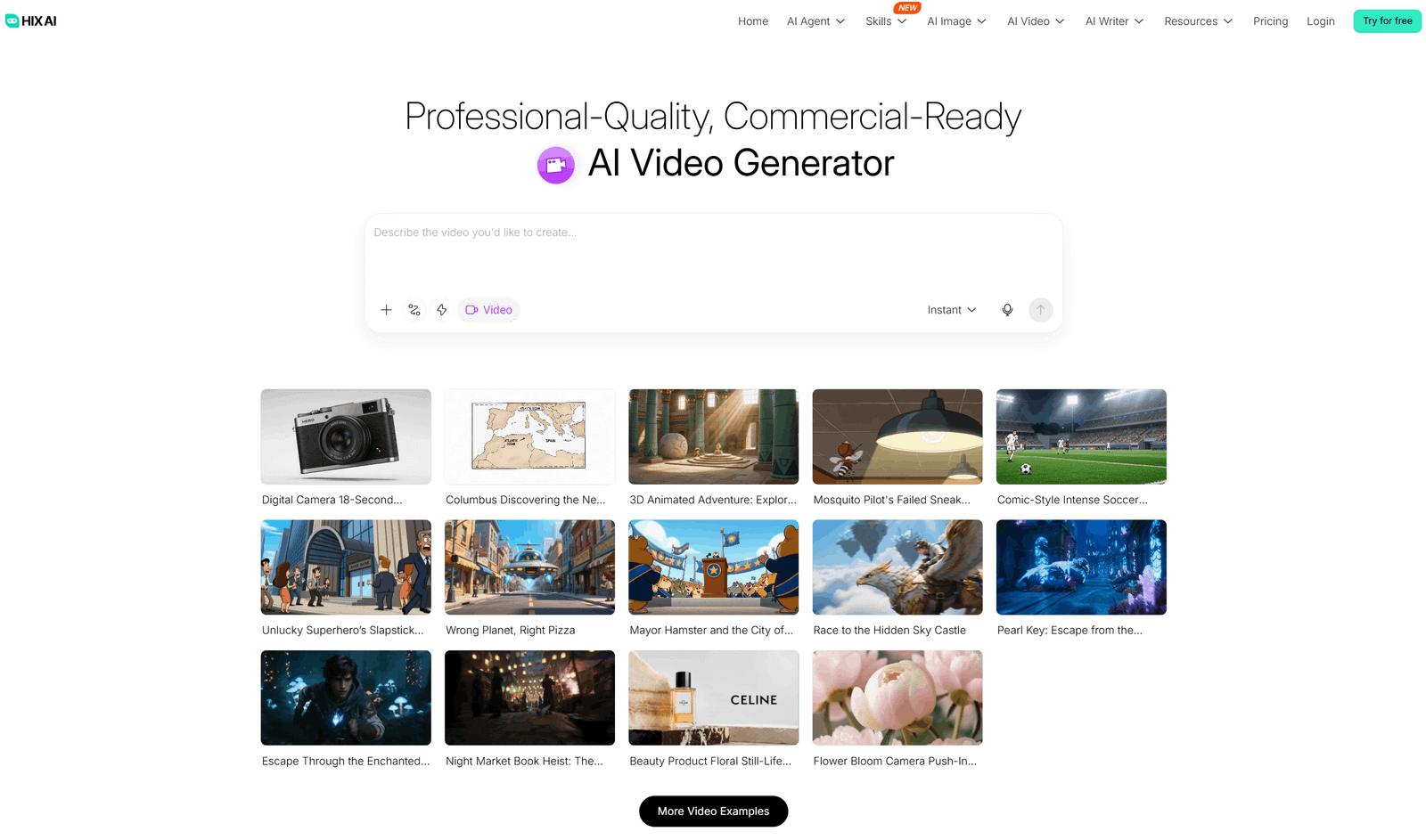
Bring your boldest ideas to life with breathtaking, high-fidelity visuals. Utilizing industry-leading models such as Gemini Omni Flash 1.1, MiniMax H3 Max, and Seedance 2.5, the HIX AI video agent is your ultimate engine for crafting everything from viral YouTube shorts to professional product promos and music videos.
Take total command of your creative vision with our advanced visual storyboarding feature. It visualizes your entire end-to-end production workflow—from scriptwriting and scene breakdowns to BGM selection and final video rendering—giving you full flexibility to inspect and adjust your project at every single stage.
Need to make fine-tuned adjustments along the way? We’ve made editing as easy as sending a text message. With our conversational interface, simply tell the agent what you want—change the aesthetic style, drop in new elements, or remove unwanted details—and watch your video transform instantly.
Conclusion
We hope this tutorial helps you easily cancel your Kling AI subscription. If you are looking for a reliable alternative for your creative needs, try HIX AI. It's the ultimate AI agent workspace that takes your visual and content creation to the next level.
Try HIX AI Video Agent
FAQs
Does Kling AI offer refunds for the unused portion of my billing cycle?
No, Kling AI does not offer refunds for early cancellation. Once you cancel, your premium features and plan status will remain active until the end of your current billing period, after which your account will automatically downgrade to the free tier.
Will I lose my remaining professional credits after canceling Kling AI?
Your subscription credits usually remain valid only until the end of your current billing cycle. Once the cycle ends and your account downgrades to the free version, any unused monthly subscription credits are typically forfeited.
Will I lose access to my generated videos if I cancel my Kling AI subscription?
No, you will not lose access to your past creations. You can still view and download your previously generated videos, but you will lose access to premium features for future projects.
What should I do if I can't cancel my Kling AI subscription?
If you experience any issues or your cancellation fails, please contact the Kling AI customer support team for further assistance.